
How to get more Google reviews, with photos: text and email templates
A review link, a QR code, four messages you can copy today, and the three rules Google enforces so your new reviews stay up.
Last reviewed November 20, 2026 against Google's own help pages. Google changes these rules often; if a step doesn't match what you see, trust the help page linked in Sources.
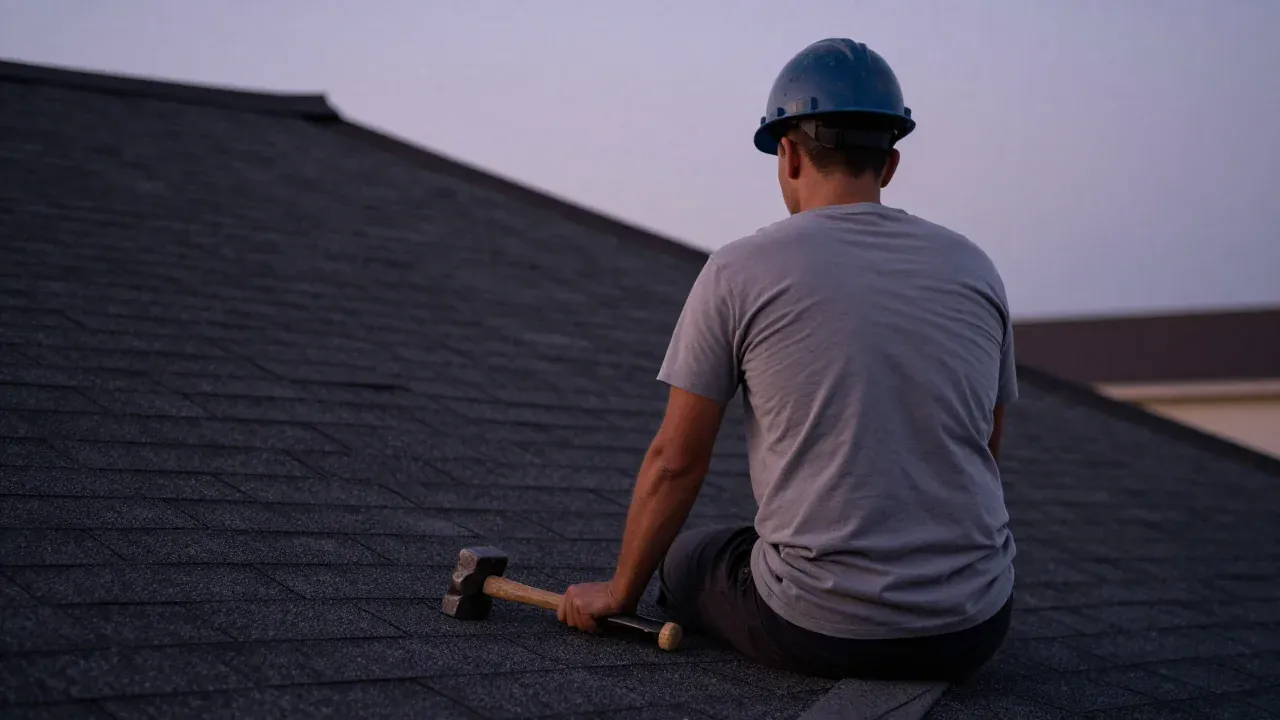
To get more Google reviews, send every customer your Google review link the day the job is done, follow up once by email, and reply to every review. Google allows you to ask. It does not allow you to offer anything for a review, to ask only happy customers, or to tell people what to write.
01
What does Google allow and forbid when I ask for reviews?
Read this before you send a single message. Reviews that break the policy get removed, and Google can restrict a profile for repeat violations.
Ask every customer for an honest review, with no incentive and no attempt to shape what they write.
Share a link or QR code on receipts, in thank-you emails, at the end of a chat, or printed on a card.
Anything in exchange: payment, discounts, free goods or services. This includes asking someone to change or remove a review.
Asking only happy customers, or discouraging negative reviews. Google calls this selectively soliciting positive reviews.
Pressuring people to review while they are on your premises, or asking for specific content, such as a staff member's name.
Telling staff to collect a set number of reviews, or reviews that include certain content.
02
How do I get my review link and QR code?
Google makes both for you. Do it on a computer: Google says QR codes can't be made on a phone yet.
Test it before you send it
Open the link on your own phone. It should open the box where a customer writes a review of your business. Google says customers must be signed in to a Google Account to leave one.
Seeing reviews you did not earn? Read how to report a competitor's fake reviews. Paying someone to get reviews? Check the signs your SEO company isn't working.
03
When should I ask, and how often?
Once on the day, once by email, one reminder, then stop. That is a request, not pressure.
-
Step 1: Get your Google review link and QR code
On a computer, open your Business Profile, go to Read reviews, then Get more reviews. Copy the link and save the QR code.
Done when: the link opens your review box when you test it on your phone.
-
Step 2: Text the link the day the job is finished
Send the same short message to every customer, not only the happy ones.
Done when: a log with the date each customer was asked.
-
Step 3: Email it two days later if there is no review
A slightly longer email, with the link again.
Done when: the log shows who got the email.
-
Step 4: Send one reminder, once
About a week later, one short nudge. Then stop.
Done when: nobody on your list has been asked more than twice.
-
Step 5: Reply to every review that comes in
Google says replies show customers you value their feedback, and the reviewer is notified.
Done when: no review older than a few days without a reply.
In the same survey, 28% said they will always write a review if asked. Asking works. Most owners just never do it consistently.
This is how customers choose, not how Google ranks. It is why a steady flow of recent reviews matters even when your position hasn't moved.
04
What do I actually say? Four messages to copy
Replace the brackets. Keep the wording simple and send the same message to every customer.
Hi [First name], it's [Your name] from [Business name]. Thanks for having us out today. If you have a minute, a Google review helps neighbors find honest local work: [your review link]
(You'll need to be signed in to a Google account. If you took a photo of the finished job and want to add it, that's welcome too, and totally optional.)
Why it works: short, no pressure, and it tells them about the Google sign-in so the link doesn't dead-end.
Subject: How did we do on your [job type]?

Hi [First name],

Thanks again for choosing [Business name] for your [job type] on [date]. I hope everything is working the way you expected. If anything isn't, reply to this email or call me at [phone] and I'll sort it out.

If you were happy with the work, a review on Google helps other homeowners in [town] find us. It takes about a minute: [your review link]

You'll need to be signed in to a Google account. Photos of the finished work are welcome, but optional. Please leave out house numbers and anyone's face.

Thank you,
[Your name]
[Business name] · [phone]
Why it works: it opens by offering to fix problems, so an unhappy customer calls you first. That is allowed. Blocking them from the review link is not.
Hi [First name], just one reminder from [Business name]. If you haven't had a chance to leave a Google review for the [job type], here's the link: [your review link]. No pressure at all, and thanks again for the business.
Thank you for choosing [Business name]. Reviews on Google help your neighbors find honest local work. Scan the code or visit [short link] to leave one. Photos of the finished work are welcome, but optional.
Why it works: Google's own help page suggests putting the link or QR code on receipts.
05
How do I get reviews with photos without breaking the rules?
Customers can add pictures to a Google review. The rule that matters is Google's ban on requesting specific content.
"Photos of the finished work are welcome, but optional."
"Please include a photo of our crew on your driveway." That asks for specific content and identifies staff.
Leave out house numbers and other people's faces. Reviews are public, and Google's policy covers photos of people posted without consent.
Our reading, not Google's words
Google's help pages never mention photos in review requests. Its policy bans requesting specific content in a review, so we keep the photo line general and optional and never attach it to a reward. If a customer would feel pushed, cut the line.
Do photos help rankings? Whitespark's 2026 expert survey ranks the quantity of reviews with photos 43rd among Maps factors, far below category, distance and hours. That is industry opinion, not Google's. The bigger win is what the next customer sees. For how reviews fit with everything else Google weighs, read why a competitor with fewer reviews can outrank you.
Roofer? Read the roofing playbook. Wondering whether AI assistants name your business? See how to check if you show up in ChatGPT.
Other questions owners ask
Can I offer a discount for a Google review?
No. Google says offering incentives such as payment, discounts or free goods or services in exchange for a review is prohibited, and content posted because of an incentive can be removed.
Can I only ask my happiest customers?
No. Google's policy says merchants should not selectively solicit positive reviews or discourage negative ones. Send the same request to every customer.
Is it okay to ask customers to include a photo?
Google's policy says merchants should not request that specific content be included in a review. Its help page does not mention photos by name, so the safe approach is to say photos are welcome and optional, and never to tie them to anything.
How many Google reviews do I need?
There is no number Google publishes. In BrightLocal's 2026 consumer survey, 47% of people said they would not use a business with fewer than 20 reviews, so under 20 reads as thin to many customers.
Why do customers need a Google account to review me?
Google says customers must be signed in to a Google Account to leave a review, and that it can be set up with a non-Gmail email address. Tell customers that in the message so the link does not dead-end.
Sources (7)
- Google Business Profile Help: Tips to get more reviews
- Google Business Profile Help: Create a Google link or QR code to request reviews
- Google Business Profile Help: Manage customer reviews
- Google Maps contribution policy: Fake & misleading content and reviews
- Google Maps Help: Add, edit, or delete Google Maps reviews & ratings
- BrightLocal: Local Consumer Review Survey 2026
- Whitespark: 2026 Local Search Ranking Factors (survey of 47 local SEO experts)
Why we wrote this. Owners asked in our November 2026 study how to get reviews, and especially reviews with photos, without breaking Google's rules (how we did the research). These messages follow Google's published policy. The photo wording is our own cautious reading, flagged below.

Free, no call needed